
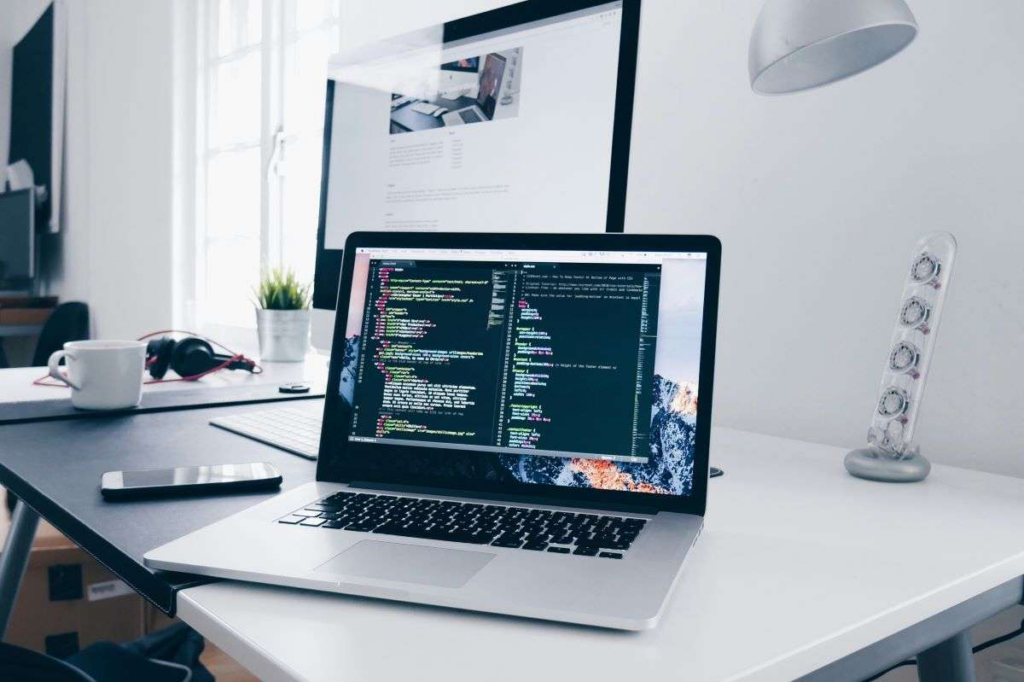
Choose the right laptop before buying in 2026 2026 requires a lot of thought process. Laptops are not just for writing documents or looking at the internet anymore. Laptops are now really important for your job, studying, having fun, being creative and even running a business.
With advancements in processors, battery life, AI-powered features, and displays, buying the wrong laptop can be costly. You might get one that does not work well, which can be frustrating.
This guide is here to help you choose a laptop that’s right for you in 2026. It explains how to choose laptops based on real-world needs, long-term value, and future needs rather than chasing popular brands.
Table of Contents
Know Your Primary Use Case

A major mistake buyers make when buying a laptop is not considering the main purpose of the laptop. The primary use case will ultimately determine every other aspect of the purchase. Below are some common use cases:
Laptop for Student
For students purchasing laptops, practicality, portability, and cost are the main factors when considering which type of laptop to purchase. Here are the things to prioritize if you’re a student and you need laptop:
- Lightweight: Since students have to move around with their laptops multiple times each day, a heavy laptop can become uncomfortable when combined with a backpack full of books and other supplies. A lightweight design will help to make daily trips easier and reduce physical stress on students. This allows them to continue being mobile without being burdened by the weight of their laptops.
- Battery life of at least 8–10 hours: Long battery life is very important for students because they may not always have access to power outlets. Having a laptop that can last through lectures, studying, and assignments without frequent recharging will help students remain focused and productive. The consistency of the battery life also helps ensure that the laptop will be dependable during test time, presentations or when working with other students.
- Comfortable keyboard for long typing session: Students will spend hours typing essays, notes and projects. A keyboard that is easy to type on and that has good key travel will reduce finger fatigue and increase typing accuracy. If the keyboard is poorly designed it could slow down the time it takes to get the work done and would make studying for a long time less comfortable and therefore would reduce overall productivity.
- Mid-range performance that stays relevant for several years: Students keep their laptops throughout their academic careers, so if you get a mid-range laptop that has sufficient power, it should continue to work well as the needs of the software continue to increase. A low-end laptop may work fine at first but will slow down over time.
Laptops for Office & Remote Work
Office and remote workers frequently use laptops for multitasking, video conferencing, file management, and productivity purposes. A laptop that is either slow or uncomfortable can severely affect the ability to get work done in an efficient manner. Here are the things to prioritize:
- Reliable processor for multitasking: Office and remote employees multitask by using several types of software programs at once. An unreliable processor will prevent you from being able to switch applications quickly from one to another without experiencing a delay. Slower PC performance will result in disruptions to your workflow and a less efficient work environment on busy days.
- Minimum of 16GB RAM for smooth performance: Memory needs have changed for the modern workplace, with many users operating multiple web browser tabs, communication platforms and other work applications simultaneously. The addition of 16GB of RAM will allow the user to achieve consistent performance levels. Users with insufficient RAM may experience slowdowns in productivity due to the decreased ability to run multiple applications at once.
- Clear webcam and microphone for meetings: Video Communication has been an essential aspect of remote/hybrid work. Using a clear webcam along with excellent mic quality will help improve communication as well as present a more professional appearance during video conferencing meetings. Poor sound or picture quality can create significant levels of misunderstanding while also reducing engagement between users during vital discussions.
- Ergonomic keyboard and responsive trackpad: Using an ergonomic keyboard with a responsive trackpad helps create comfortable working environments affect the level of productivity. An ergonomic keyboard/mouse will reduce stress levels when performing prolonged computer-based tasks. Furthermore, poor-quality input devices will create levels of discomfort and long-term physical problems. This makes it very important to consider when determining the appropriate office equipment choice.
Laptops for Gaming
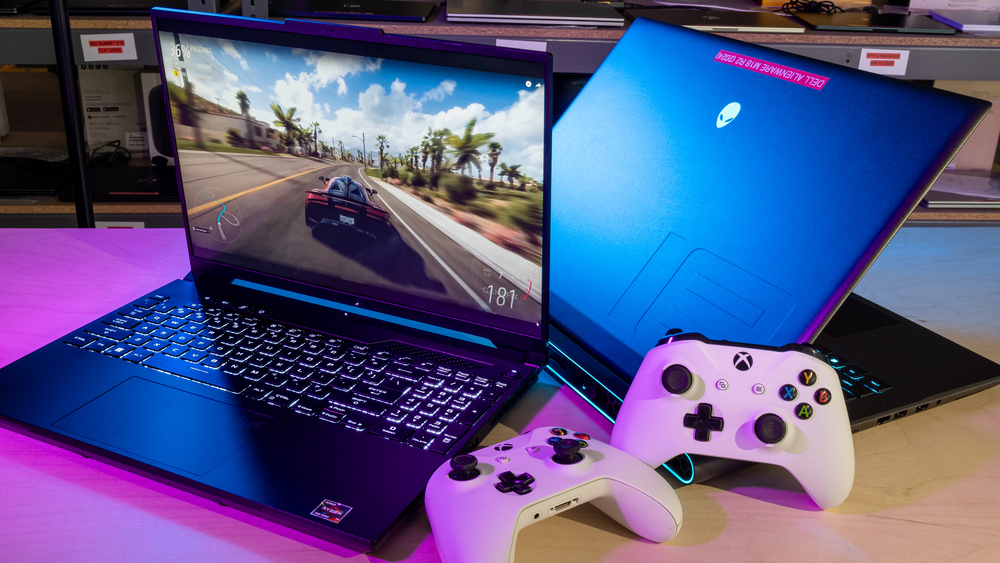
Performance is the primary criterion for a gaming laptop. They are built to provide the best performance possible with the fastest hardware; however, most gaming laptops are heavier, produce louder fan noise, and have shorter battery life than typical laptops. Here are what you should prioritize:
- Dedicated graphics card: To play games, your computer needs to have excellent graphic processing power to produce a smooth image and provide consistent frame rates. However, an external GPU will do this much better than the integrated graphics found in most computers. Almost all modern games will struggle to run without a dedicated graphics processing unit, potentially leading to very low-quality graphics and the inability to run those games at all.
- Efficient cooling system: Long running of the game hardware generates heat. Therefore, it is important that there is an efficient cooling system in place to avoid overheating, which could lead to a loss of performance. An ineffective cooling system would subject the laptop to thermal throttling, reducing the life of the laptop.
- High refresh rate display: Refresh rates improve the smoothness of gameplay, allowing for more fluid motion while playing games. This is particularly important if you are a competitive gamer and need quick reaction time and visual clarity.
- Upgradeable RAM and storage: Gaming is always changing so to make sure you can upgrade your RAM and storage as gaming changes is a huge reason for having a laptop as they can last a long time if they can be upgraded.
Laptops for Creative Professionals
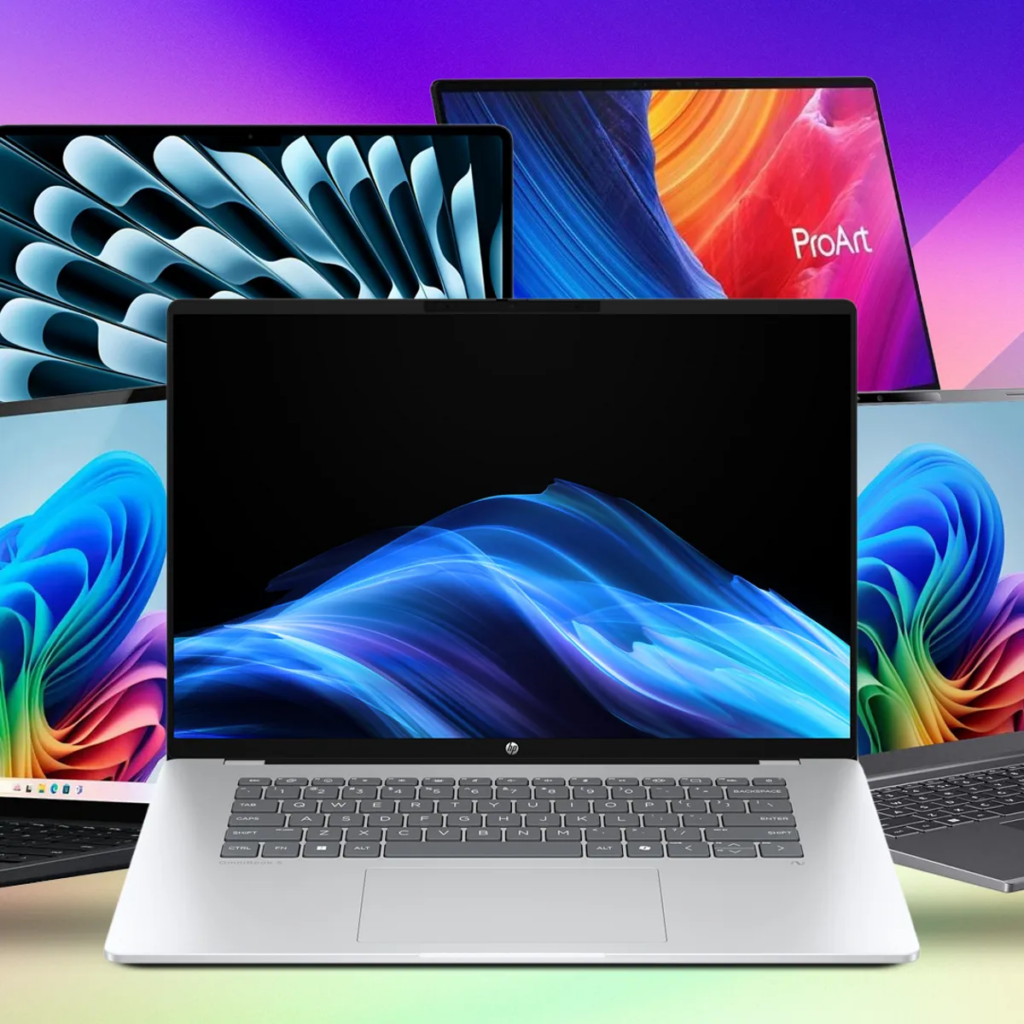
Professionals in creative fields, such as video editing, graphic design, development, and architecture, will require laptops capable of running demanding software without lagging. For these types of users, display quality and processing power are paramount. Here are the things to prioritize:
- High-performance processor: Using high-powered processors will provide the necessary power to carry out creative tasks Professional’s will experience a reduction in rendering times and will find that their workflow will be more efficient as they will save time while still completing all of their work.
- Dedicated graphics for design and video work: Most creative software has a very demanding processing feature and therefore requires a dedicated graphics card. By having a dedicated video card for graphics-oriented tasks, professionals will have faster rendering and be able to view their work in real-time while working with large or intricate projects
- Color-accurate display: Color accuracy is extremely important for designers, photographers and video editors. A quality display will help produce consistent colors across the entire design process and eliminate the number of times that color has to be corrected by the professional.
- Fast SSD storage and high RAM capacity: When using creative software, the large files created require storage speed and sufficient RAM. A solid-state drive (SSD) will load up files quickly, while enough RAM will allow multiple applications to be utilized at once without being sluggish. These will allow professionals to have high productivity.
Choose the Right Processor (CPU)
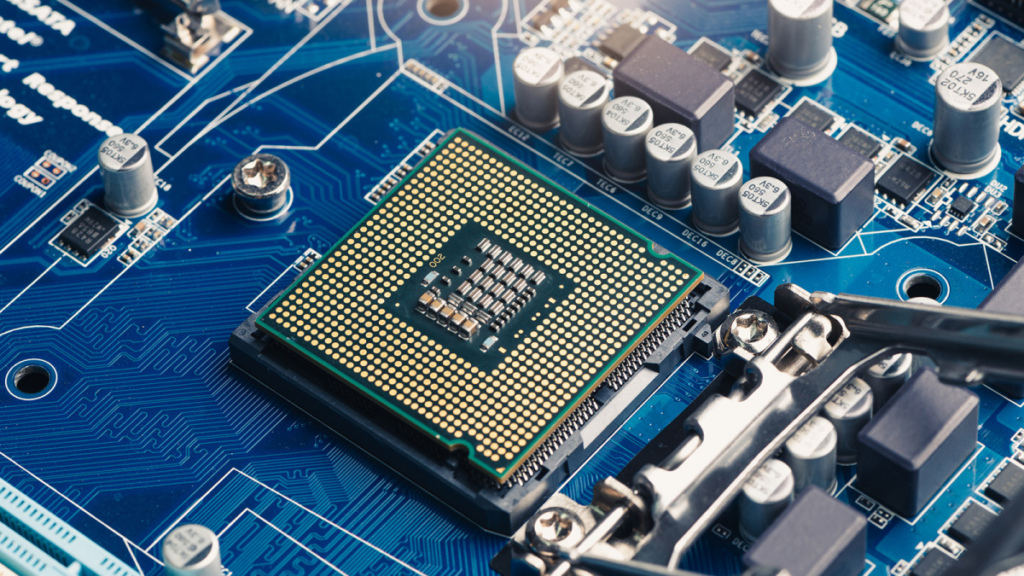
Your laptop is powered by a CPU, which is the engine driving its capability for processing tasks and executing application functions. As we approach 2026, the evolution of processors continues to move forward at unprecedented rates. Today’s processors are more efficient and more powerful than ever while preserving the capacity for multitasking without significant decreases in performance.
When choosing a processor, it is important to consider the type of workload that you may need to process. For example, if you are a student or a casual computer user, there is no need to have the best-of-the-best processors. If you are a professional, creative worker or gamer with multiple tasks running simultaneously or requiring significant processing power, the best option would be to select high-performance, multi-core processors that will provide sufficient processing power to operate demanding applications without delays due to heavy file transfers.
There are three major brands of processors: Intel, AMD, and Apple Silicon, each offering unique advantages. Intel provides balanced performance while working well with a broad range of software applications. AMD provides superior multitasking capability for similar ranges of processors to that of Intel processors and frequently provides better overall value. Apple Silicon chips offer outstanding performance with impressive power consumption and battery life, but they perform best in an all-Apple environment.
The key is selecting the right type of processor that matches your current usage as well as your future and desired usage of the laptop. By making the right choice, you can achieve many years of smooth operational capabilities, both now and in the future.
What’s Ideal RAM and Storage in 2026?
Your laptop’s performance when operating several programs simultaneously is connected to the amount of RAM. Today’s software tooling requirements have significantly risen since 2023. It is vital that you adequately consider how much RAM you want at the beginning of the laptop purchase process, as many new laptops do not provide upgrade options regarding RAM. Here are the common ones and what they are suitable for:
- 8 GB of RAM: This amount is useable only for light-duty tasks such as basic web browsing or checking emails/word processing, rather than most people working multitask by running numerous applications simultaneously.
- 16 GB of RAM: This amount will meet the general needs of nearly all users by providing the ability to effectively work with productivity-based software or minor content creation while providing minimal ability for future growth.
- 32 GB+ of RAM: This option is appropriate for those who will be using very demanding amounts of software and working with a lot of resources, such as graphic-heavy applications such as video design, 3D model creation, or large data sets; thus allowing for a more consistently performing laptop.
SSD vs HDD
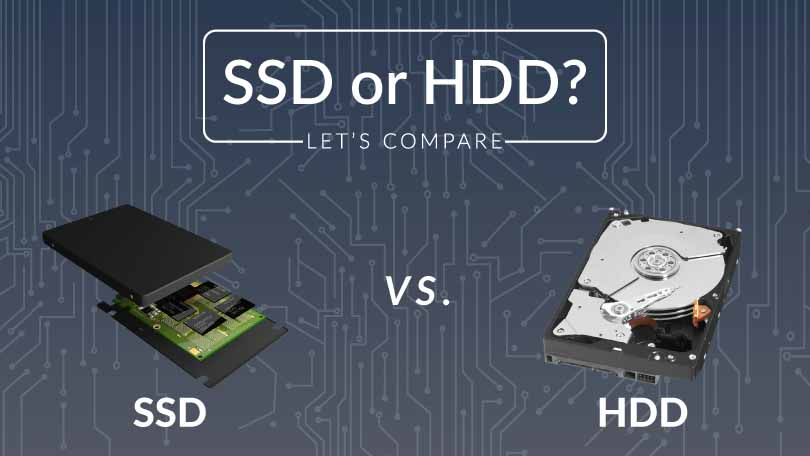
Storage speed matters as much as storage capacity in your new laptop. HDDs are based on spinning disks with moving parts, meaning they are slower than SSDs, which use flash memory for data storage. Although HDDs provide greater data capacity at a lower cost, they are unable to support the fast pace of modern software and operating systems, as well as multitasking capabilities.
For example, an SSD provides more than 1000 times the speed of an HDD, which means that your laptop will boot up almost immediately and your programs will load quickly. For students, businesses, and creative individuals, this added performance will provide an immediate boost to productivity and workflow. In addition to being faster, SSDs are also more durable because there are no moving components; therefore, they are less likely to be damaged by bumps or drops.
Also, an advantage with SSDs is energy efficiency. SSDs use less energy than HDDs; therefore, laptops will last longer on battery, which is particularly important with a portable device. Choosing an SSD, and ideally an NVMe drive, in your laptop will ensure your laptop will be responsive, dependable, and ready for future use through 2026. An SSD has become an essential component of a high-performance laptop, regardless of the user.
What About Display Quality?
The display of a laptop is an important factor in comfort and productivity. It can also affect how much you can see at a time, the extent of fatigue experienced by the eyes after extended periods of time, and much more. One of the most significant factors in determining how good or bad a display is, is screen size. Smaller screens (i.e., 13-14 inches) can provide great portability to students or businesspeople who are travelling with their laptop while larger screens (i.e., 15-16 inches) can give you additional workspace and make multitasking easier, creating content, and editing details all easier than using a smaller screen.
Resolution is also an important consideration; most users can use a Full HD (1920 x 1080) resolution display without any problems and this resolution will allow you to see everything crisply and clearly. However, other users may require higher resolutions or color-accurate displays, particularly those who create content for television, video, or other media that require extreme detail. To get the ideal combination of screen size and screen resolution will give you a comfortable display to use, something that will be clear visually, and something that you will ultimately have a good display for your needs.
Battery Life and Charging Technology
When selecting a laptop, perhaps the most important consideration is battery life. Your battery will impact your ability to be mobile and productive; if you do not have adequate time from your battery, you may be forced to remain near a power outlet, interrupting your work, your study or your entertainment.
In 2026, a dependable laptop will allow you to run it for at least eight hours on a standard usage of web browsing, document work and streaming, giving you the ability to perform your normal daily activities without having to constantly charge your device.
In addition to the obvious benefits of having sufficient laptop battery life, fast charging and USB-C power delivery will provide greater convenience for users. Fast charging will provide hours of productive usage with minimal charging time, significantly cutting down on the amount of time that a user would normally need to wait for their device to charge.
Graphics Card (GPU) – Do You Need One?
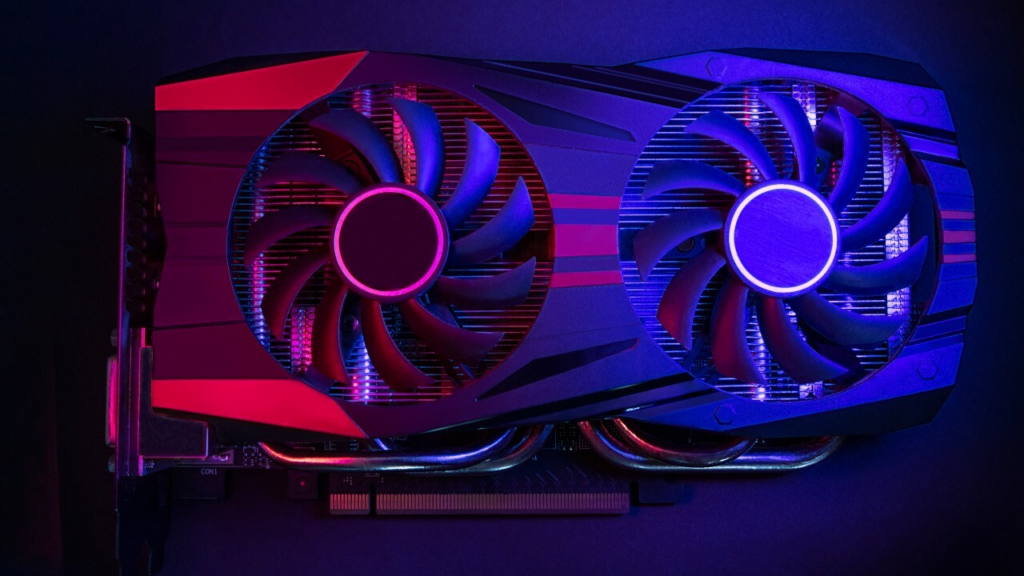
The GPU determines how well a laptop will perform on various visual tasks, from daily displays to high-performance gaming and graphics. For most people, integrated graphics will do a fine job of displaying daily tools smoothly, while consuming little power and no added cost.
A dedicated graphics card will be required by gamers, video editors, 3D designers, as well as anybody who is using a computer for graphics-heavy tasks. It will provide much higher rendering performance, improved quality of image, and dramatically higher frame rates. When considering a GPU it is essential to evaluate your real-world needs, instead of letting the marketing hype direct your purchase.
Budget Guidelines and Realistic Price Ranges
When planning to buy laptops for use in 2026, it will be much easier to think of price tiers that correspond to the true worth of these devices. Entry-level laptops (approximately $300 – $600) can perform basic functions such as web browsing and checking email, preparing documents, and streaming. However, they may not work quite as well when higher workloads are assigned. Mid-range laptops ($600 – $1,000) offer the best value for the money and provide the user with good performance for the price paid. In general, mid-range laptops will allow for productive output in a wide range of situations, such as multitasking, performing professional tasks, and performing some limited creative tasks without delays.
Laptops in the premium range (typically $1,000 or more) provide superior performance, build quality and future-proofing. Powerful processors, dedicated graphics, high-resolution displays, and long-lasting batteries are appealing features for creative professionals, gamers, or power users. Although the initial purchase price may be greater, the extended lifespan from being able to run current software versions through many updates and adapt to different user needs tends to result in greater overall value for these laptops over time. Be sure to compare your budget against your anticipated usage.
Making Your Final Decision
When you’ve reviewed all the specs, features, and your budget, these key points can help you make the right final choice:
1. Determine Your Main Use: Understand the primary purpose of your laptop, and this will determine how your other decisions will be made.
2. Price vs Performance: Do not pay for features that will not be used. Seek a laptop that has a high level of reliable performance and no extra features.
3. Weight vs Screen Space: When choosing your laptop, take into consideration how you plan on carrying it, and if it will be large enough to allow for productivity with multitasking or designing.
4. Battery Life: Have enough life in your laptop battery to last an entire work/school day. Do not simply rely on the manufacturers’ battery claims.
5. Future-Proofing: Purchase RAM and storage that are adequate to keep your laptop viable for many years in the future.
6. Quality of Construction and Available Ports: The materials you buy, as well as how many ports your laptop has will make your daily use of your laptop easier, and allow for a long useful life of your laptop.
7. Test Before You Buy: If available, make sure to use a physical sample of each device you’re considering, so that you can make sure you’re comfortable using all of those features and that they’re functional and usable prior to purchasing them.
Conclusion
To choose the right laptop before buying in 2026, first figure out the primary use and set clear expectations. When you find the one that fits your requirements, you can invest in it for the long haul, and choose one that will support your job, creativity, and lifestyle over many years. Focus on these three areas when making your decision: Performance, Usability, and Future-proofing. Visit newnewstrend.com for more expert reviews, buying guides, and the latest technology trends.